
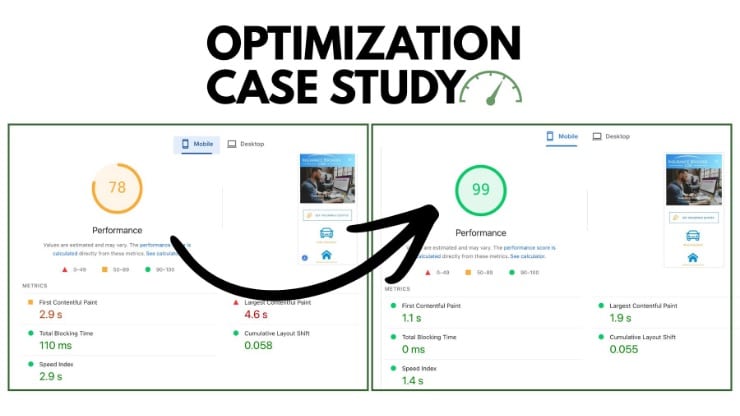
I recently did an optimization for insurancebrokers.com. It was a good challenge because the site wasn’t performing badly. It’s easier to show impressive results when the site is starting from a very poor baseline.
But this site had already been optimized to a large extent and the desktop performance was very good.
However, mobile performance, while decent, certainly had room for improvement.
Notable issues included:
- Largest Contentful Paint (LCP) was the metric with the biggest opportunity for improvement – there was no LCP optimization or image preloading.
- On some pages large desktop images were being loaded on the mobile version.
- The site was using the Thrive themes suite and had multiple
@importcalls to fonts on each page which caused render-blocking. There were up to 6 of these per page. - Redundant fonts were being loaded on various pages due to Thrive.
- There was also a mix of locally hosted fonts and fonts still being loaded from Google, also due to Thrive.
- Some pages had a lot of heavy third party scripts
- Cumulative Layout Shift (CLS) was a problem on several pages.
- JavaScript was deferred and not render-blocking but nothing was delayed.
Let’s start with a sampling of the results, then I’ll explain how I achieved them.
| Before | After | Improvement | |
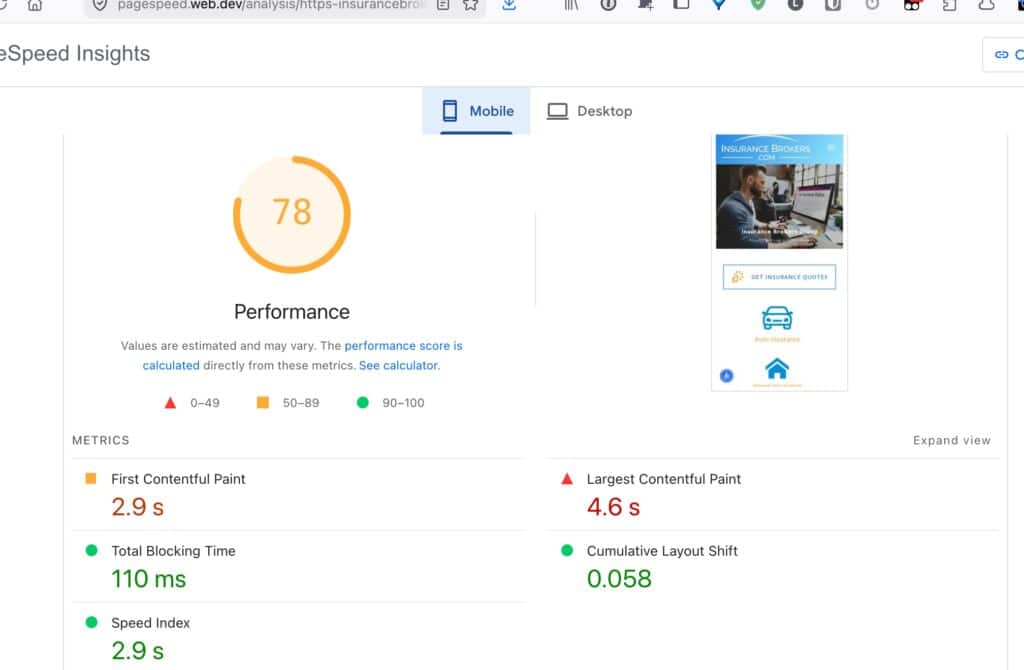
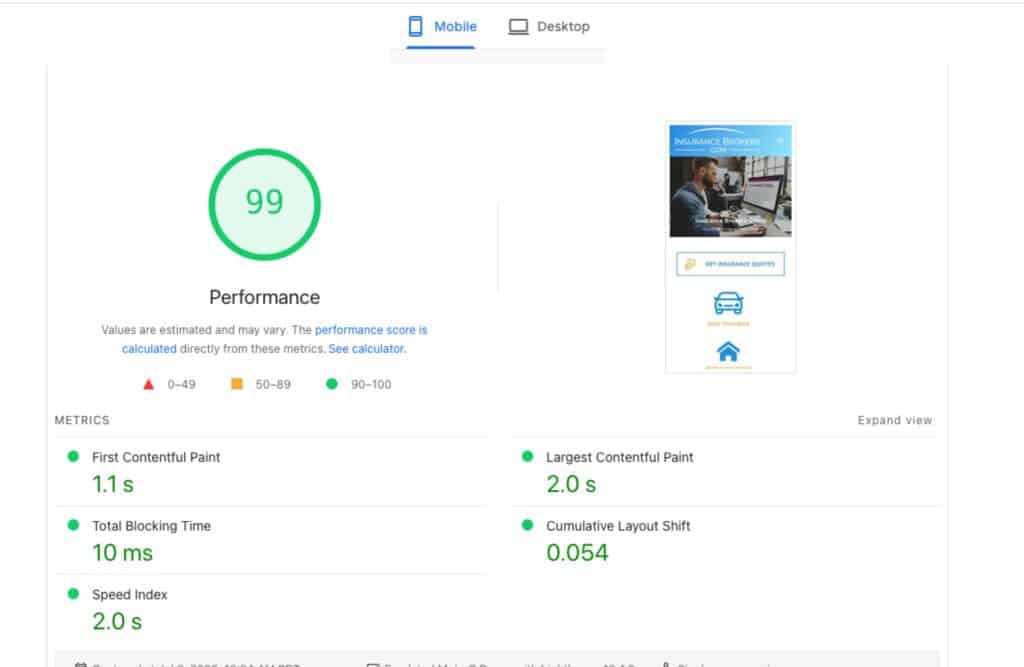
| Key page 1 | Score: 78 LCP: 4.6s CLS: 0.058 | Score: 99 LCP 1.4s CLS 0.054 | Score is 27% better LCP is 69% faster CLS is stable |
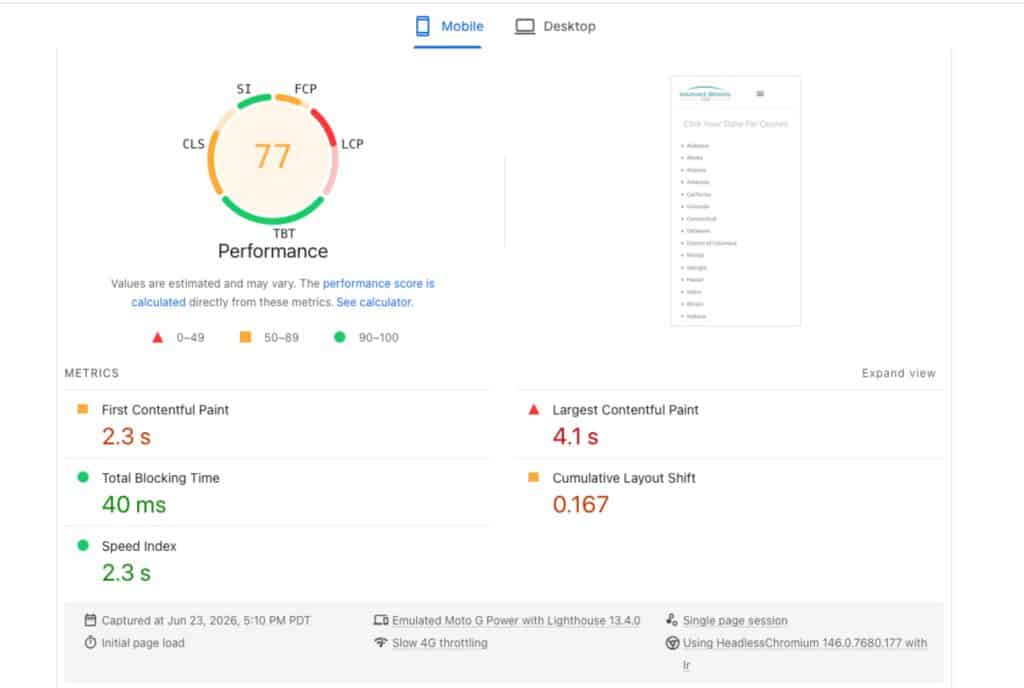
| Key page 2 | Score: 77 LCP: 4.1s CLS: 0.167 | Score: 93 LCP 1.2s CLS 0.165 | Score is 21% better LCP is 70% faster CLS is stable |
| Key page 3 | Score: 51 LCP 5.6s CLS 1.282s | Score: 99 LCP 2.3s CLS 0.002 | Score is 94% better LCP is 59% faster CLS is 99% better |
| Key page 4 | Score: 76 LCP 5.6s CLS 0.059 | Score: 97 LCP 2.3s CLS 0.014 | Score is 28% better LCP is 59% faster CLS is 76% better |
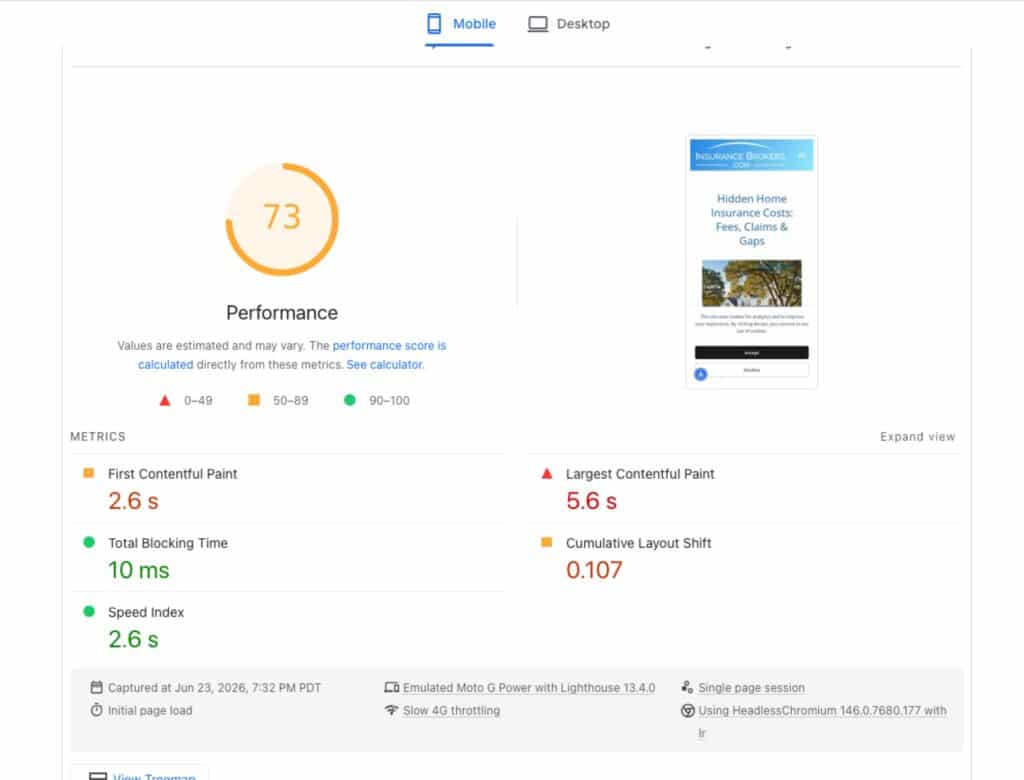
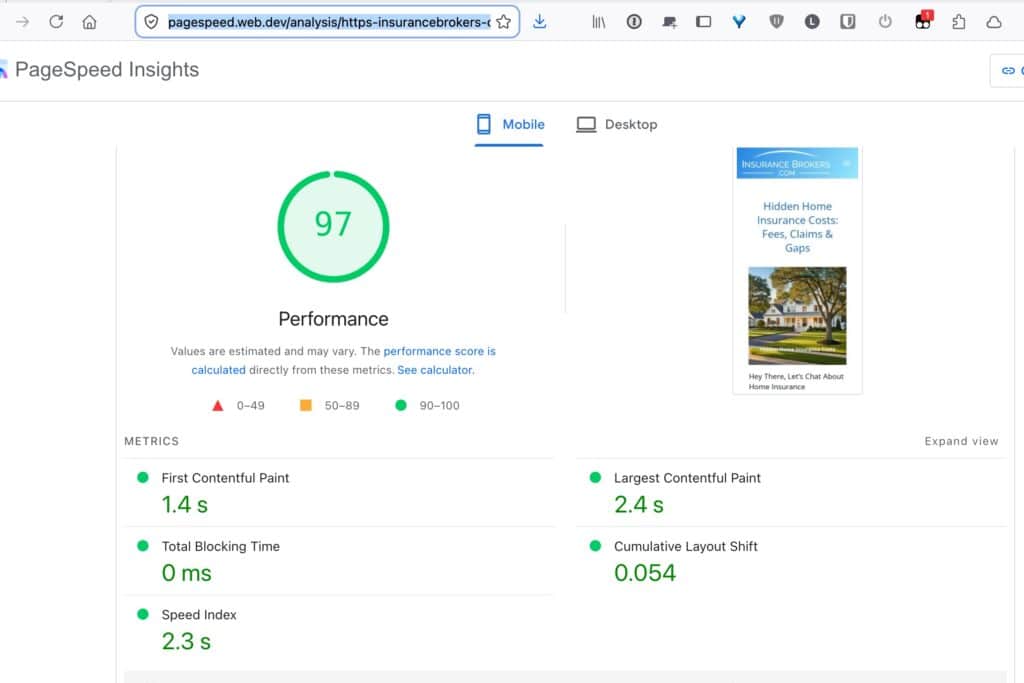
| Key page 5 | Score: 73 LCP 5.6s CLS 0.107 | Score: 97 LCP 2.4s CLS 0.054 | Score is 33% better LCP is 57% faster CLS is 49% better |
Page 1 Before and After:
Page 2 Before and After:
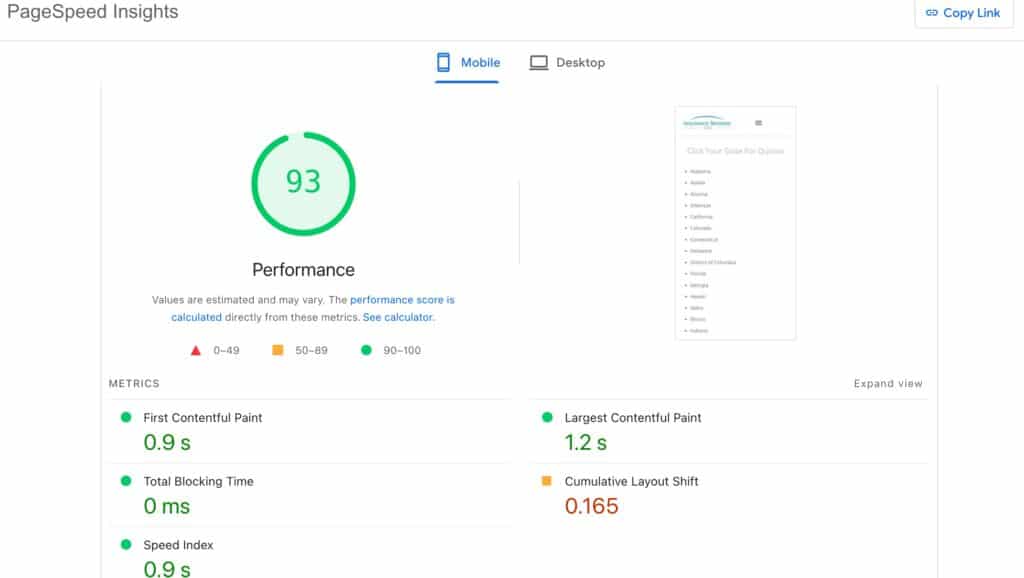
Page 3 Before and After:
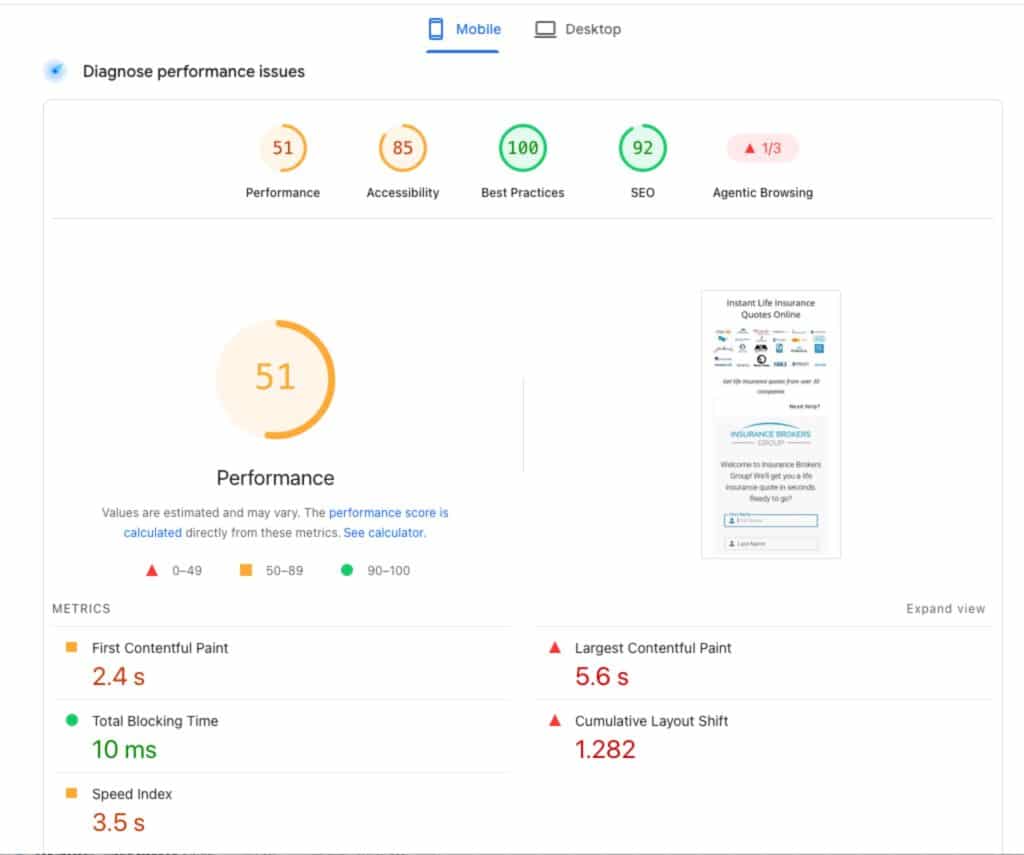
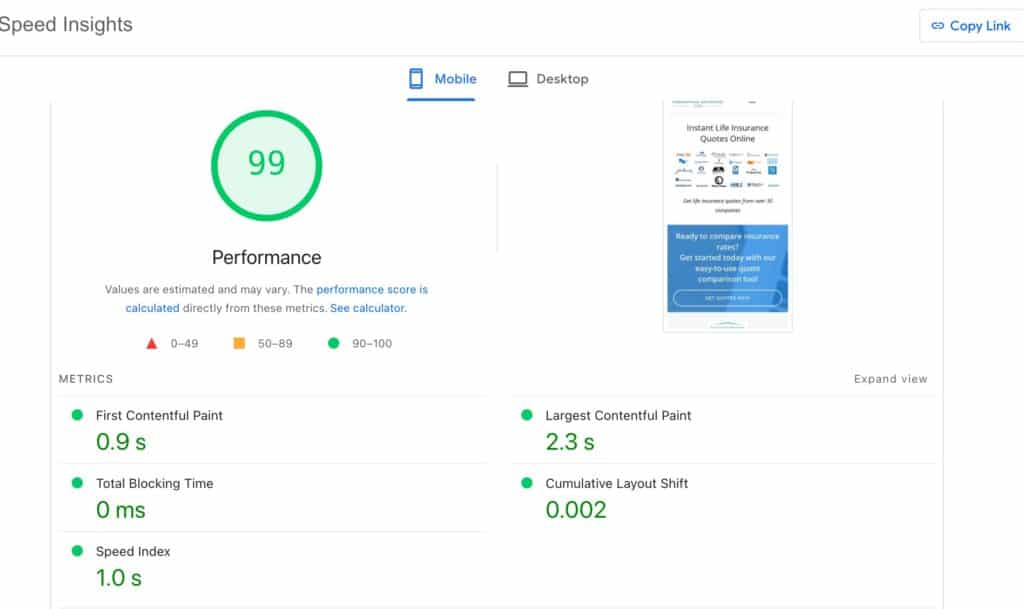
Page 4 Before and After
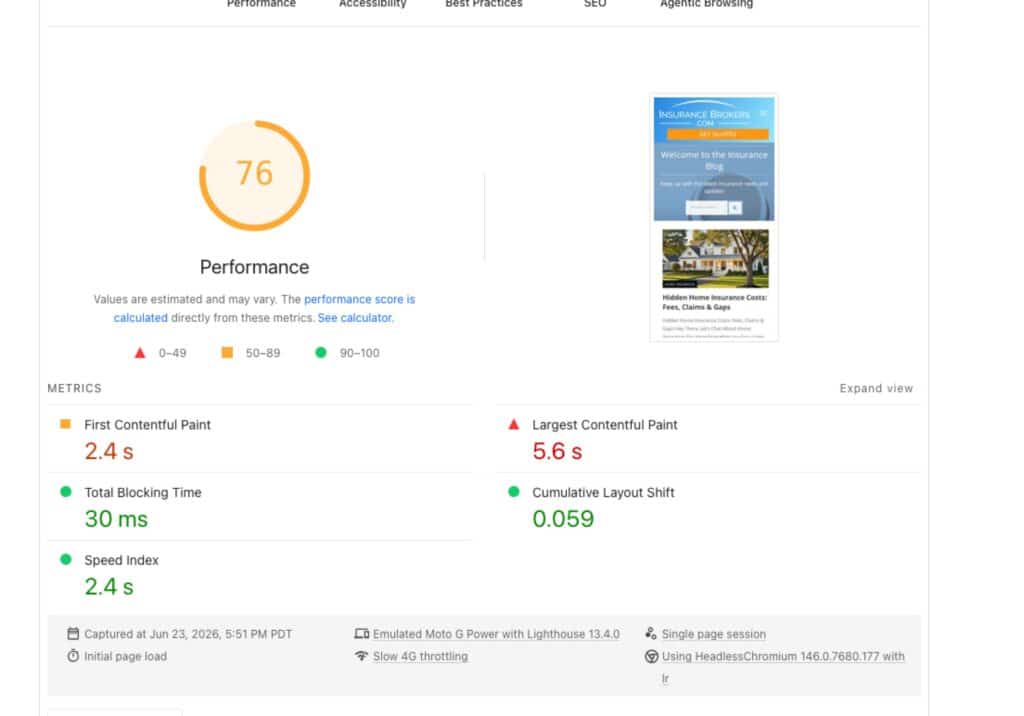
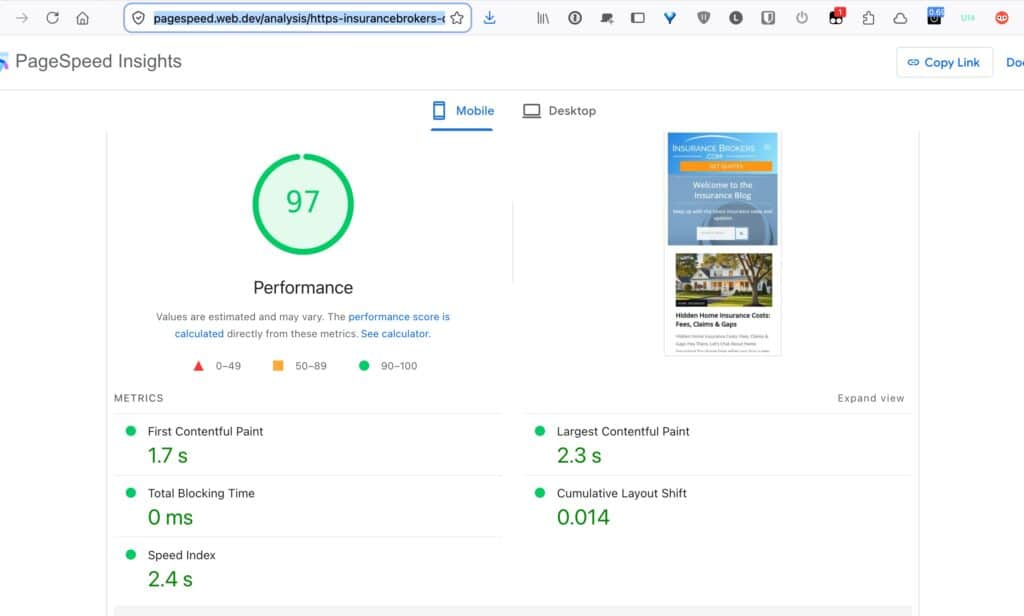
Page 5 Before and After
Site setup:
- Hosted on WPX – this is a great managed WordPress host that provides a CDN with caching, so the TTFB was good.
- Litespeed caching plugin was active with some CSS/JS optimizations applied
- Debloat plugin was installed also with CSS/JS optimizations
- There was overlap between optimizations in Litespeed and Debloat
- Site is built on Thrive Theme and its related products (Thrive Architect, Thrive Leads)
Core Web Vitals were not available on PageSpeed so the focus was purely on the performance scores for mobile and primarily on the LCP.
Optimization Process
Staging site
First we set up a staging site where I could safely work on the site without disrupting the live site.
During this process we discovered the database was huge – more than 5GB.
The customer took care of this himself with the WP Sweep plugin and was able to reduce it to a more manageable size.
Props to WPX hosting – the site and its backend were very fast even with this giant database! I would definitely recommend them as a host from a performance perspective.
Get a grip on the fonts
Thrive’s font loading was, to put it nicely, a mess. The most pressing issue was their use of @import to load the fonts, and the excessive number of redundant calls per page. This created render-blocking.

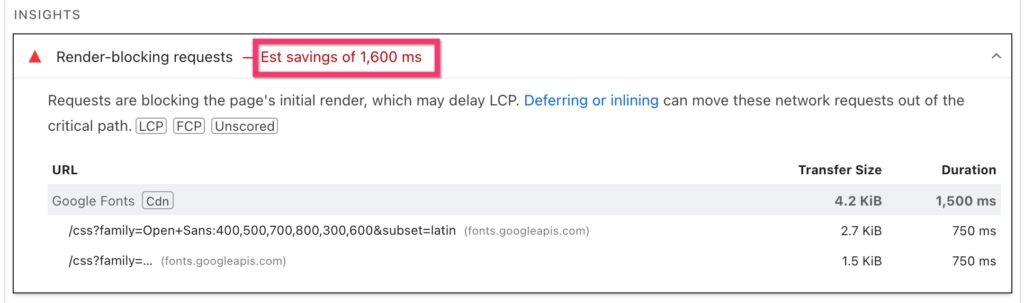
After struggling with Thrive’s settings and their support, the main way I fixed this was with the excellent OMGF Pro plugin, along with a couple of manual code tweaks. OMGF was able to remove all the @imports and ensure that only locally hosted fonts were loaded on the page.
Improve JavaScript Optimization
The site’s JavaScript was already being minified and deferred with Debloat and Litespeed. But nothing was being delayed so this was a low-hanging fruit to improve performance.
Debloat and Litespeed both have options to delay JavaScript. I tested them but I found they created more errors than when I used the Delay feature in Perfmatters. Perfmatters also has more in-built control over how to manage exclusions, which I preferred. I needed to customize exclusions for a couple of pages to make sure that above-the-fold elements worked as expected without any interaction required.
Improve LCP
The main problem was that none of the LCP images were being preloaded. Again, I used Perfmatters to handle this.
It did require some customization on a page-by-page basis because PageSpeed and Perfmatters did not always agree on the critical image. But the beauty of Perfmatters here was that I could use code snippets to easily manage the exclusions and get the result I needed.
I also resized and optimized a few images for mobile to improve LCP since they were often loading huge desktop images on mobile devices.
CLS improvements
Due to the way the site had been built (and it was out of scope for me to change that), the layout, even for common elements like the header, was not consistent from page to page. So some pages had specific CLS issues.
I applied a few CSS tweaks, added in Perfmatters Code Snippets, to address some of the most glaring issues. For example, because the navigation menu required JavaScript, it would load fully expanded then only close after page load, and this of course caused a massive layout shift.

By hiding the menu with CSS while loading, the header for those pages was much more stable and greatly improved the CLS score.
Change in the tools
Perfmatters could do everything Debloat and Litespeed page optimizations could do, and even more, so in the end, I implemented all optimizations in Perfmatters and disabled Debloat.
I also ended up completely removing Litespeed:
- While it was active there were bigger fluctuations in the overall performance for the homepage.
- WPX already provides a server cache so the additional page cache was not necessary.
- The same optimizations could be applied more effectively with Perfmatters
The end result is that I could simplify the setup by just using Perfmatters and OMFG.
Conclusion and Feedback
While the scope of engagement meant it wasn’t possible to fix every issue (which would have required a lot more custom work), the goal of improving mobile performance was achieved! My client was very happy with the result:
Lucy at WebTrainingWheels did an outstanding job optimizing our website, InsuranceBrokers.com. She significantly improved our site speed and overall performance, making a noticeable difference in load times and user experience. The process was smooth, communication was excellent, and the results exceeded expectations. I highly recommend her to anyone looking to improve their website’s speed and functionality.
If you are interested in optimizing your site, check out my available services and/or drop me a line!