

This is a case study for SBWineLiner.com which is quite a new site and doesn’t yet get a huge amount of traffic. Core Web Vitals are not yet available so PageSpeed scores and user experience are what I was optimizing for.
The goal for this site was to make the mobile version faster since clients are using the site while on the wine tour and therefore not always with the best reception and connection.
Although the site performed decently, the mobile Largest Contentful Paint (LCP) scores for most pages were generally not great and had a lot of room for improvement.
Site setup:
- Site was using Godaddy managed hosting and was surprisingly fast out of the box!
- There was Cloudflare cache integration and server cache via GoDaddy
- The foundation of the site was pretty lightweight – it’s only using a few plugins and didn’t have too much CSS or JS compared to most WordPress sites
Notable issues included:
- Mobile Largest Contentful Paint (LCP) was the metric with the biggest opportunity for improvement – there was no LCP optimization or image preloading.
- Large, unoptimized images were identified early on as one of the main bottlenecks
Here’s a sampling of the results, then I’ll explain how I achieved them.
| Before | After | Improvement | |
| Key page 1 | Score: 76 LCP: 5.2s | Score: 100 LCP 1.7s | Score is 32% better LCP is 67% faster |
| Key page 2 | Score: 77 LCP: 5s | Score: 100 LCP 1.8s | Score is 30% better LCP is 64% faster |
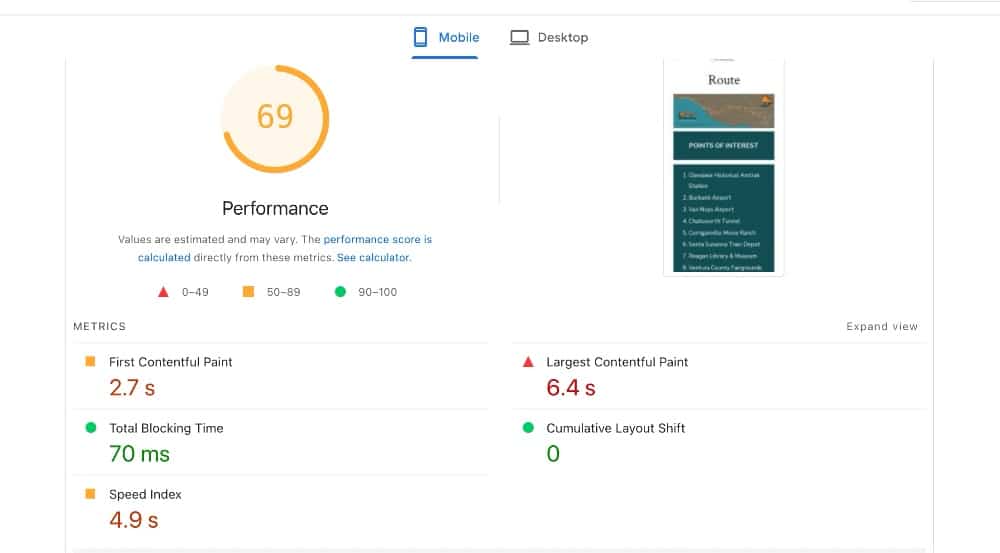
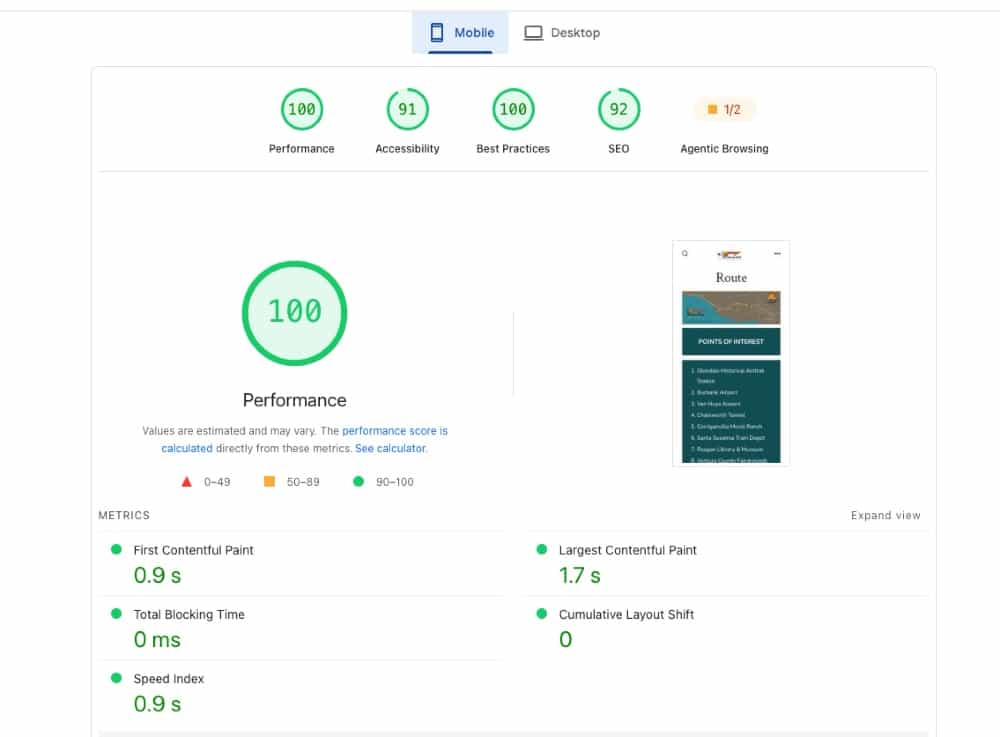
| Key page 3 | Score: 69 LCP 6.4s | Score: 100 LCP 1.7s | Score is 45% better LCP is 73% faster |
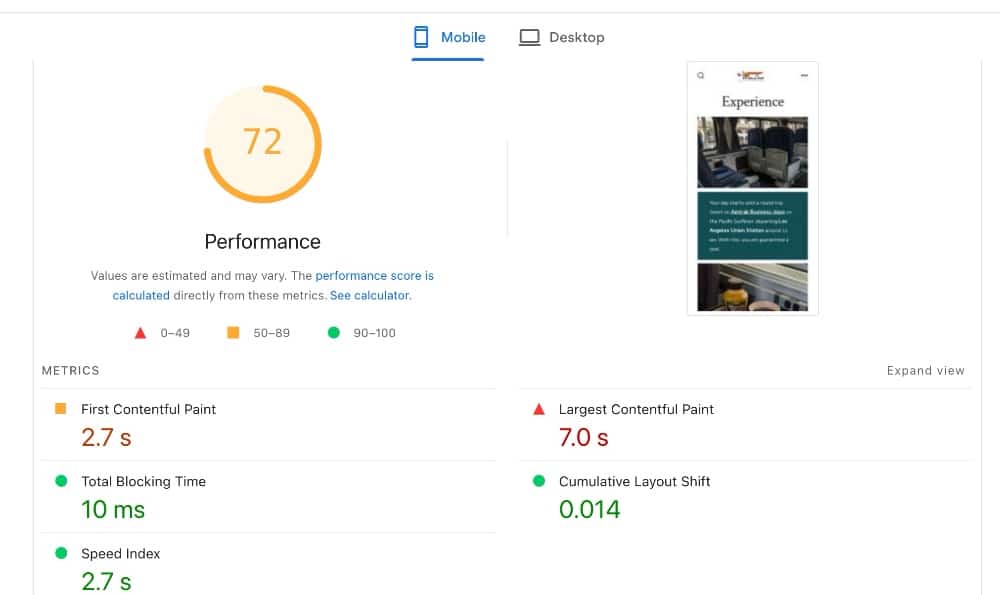
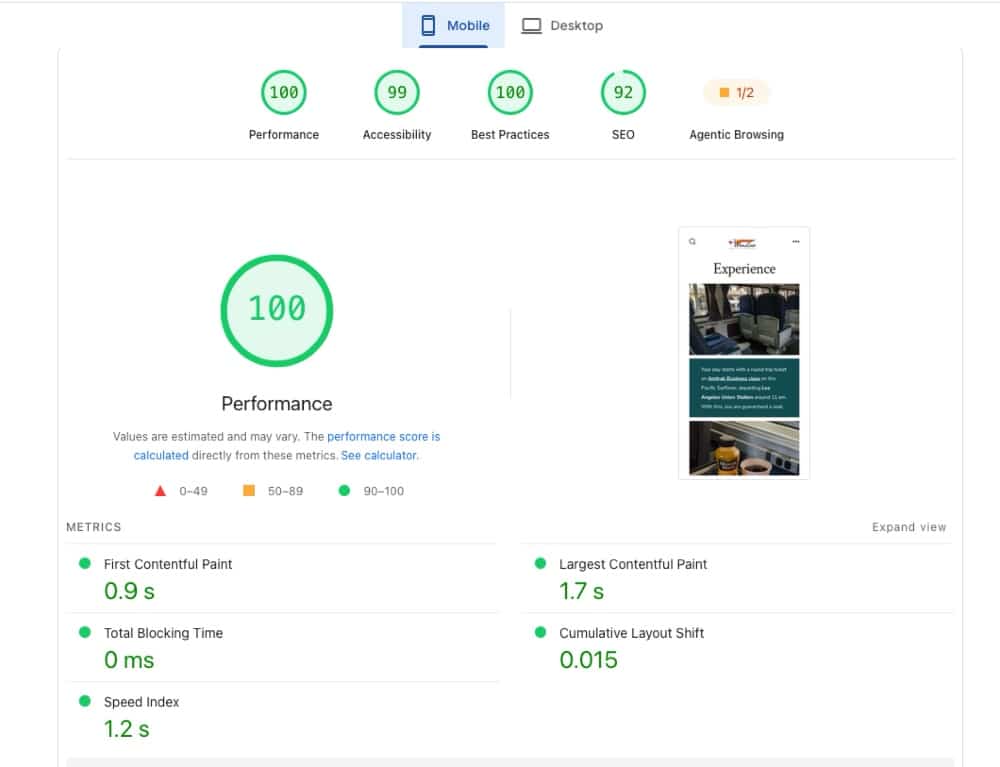
| Key page 4 | Score: 72 LCP 7.1s | Score: 100 LCP 1.7s | Score is 39% better LCP is 76% faster |
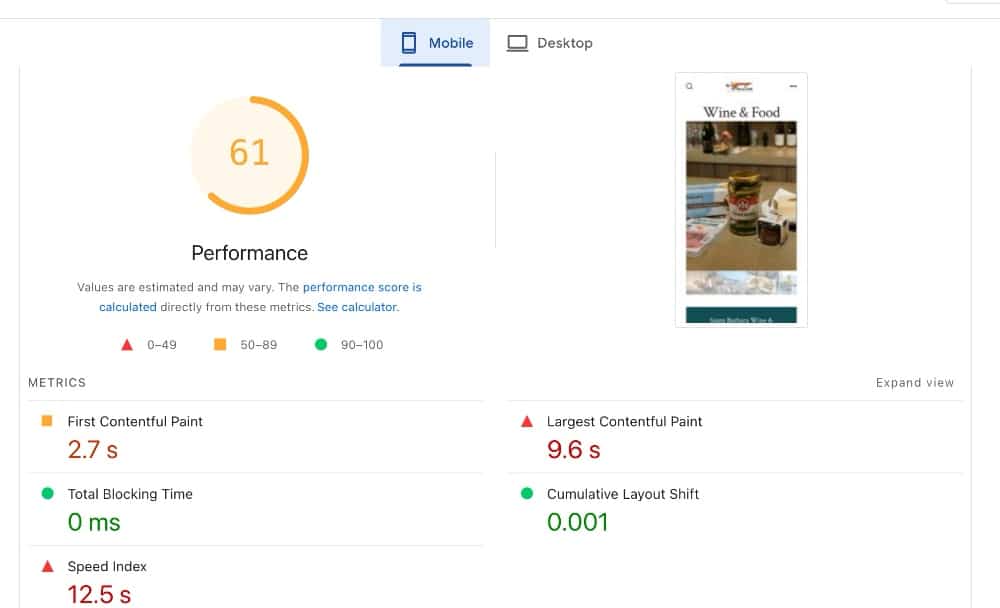
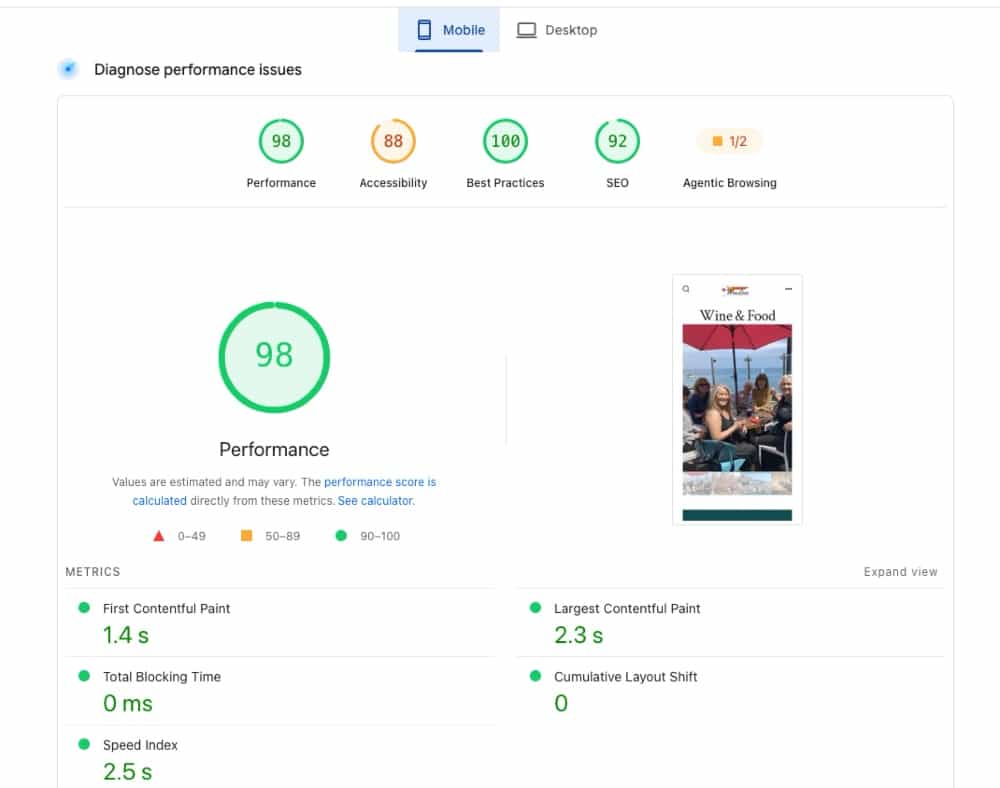
| Key page 5 | Score: 61 LCP 13.9s | Score: 98 LCP 2.3s | Score is 61% better LCP is 83% faster |
Page 1 Before and After:
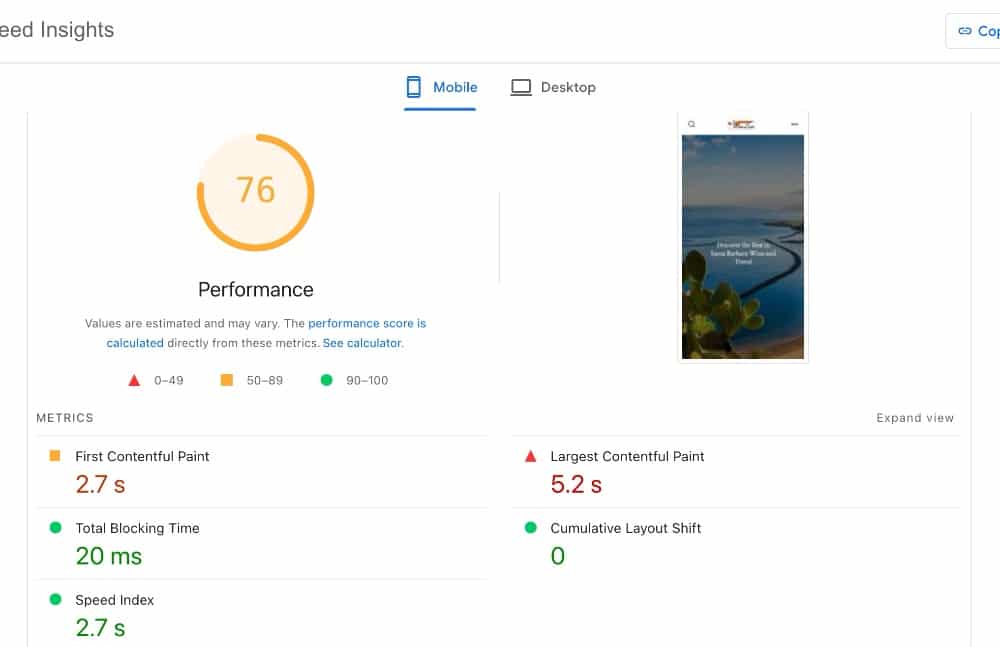
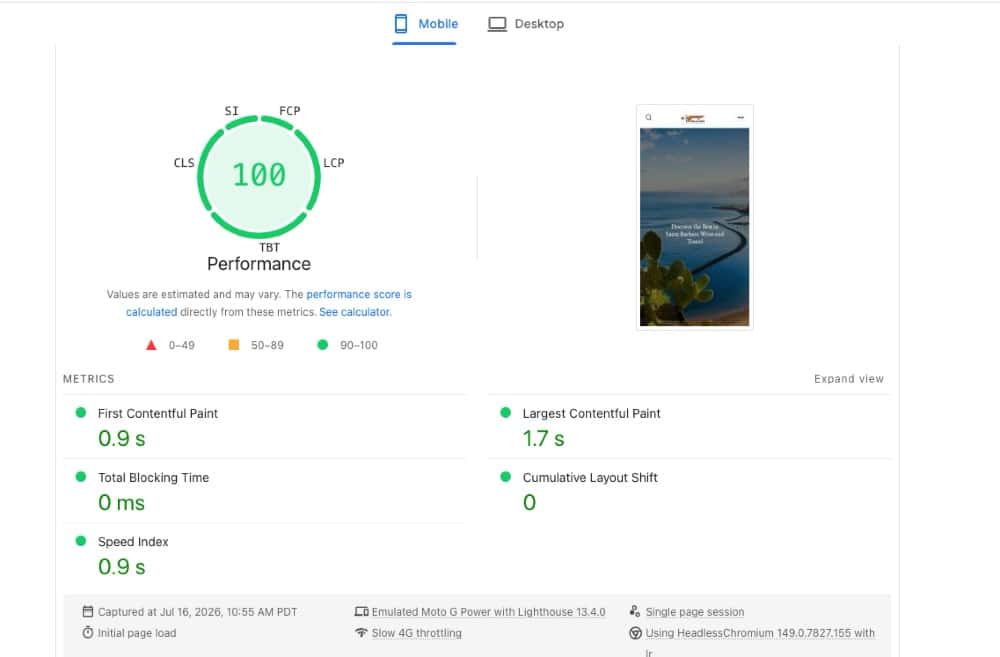
Page 2 Before and After:
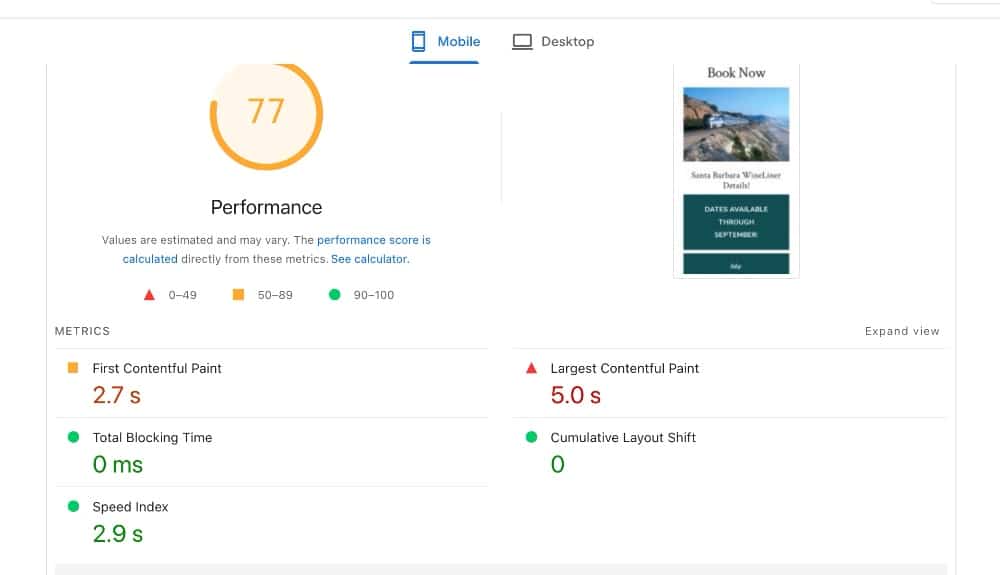
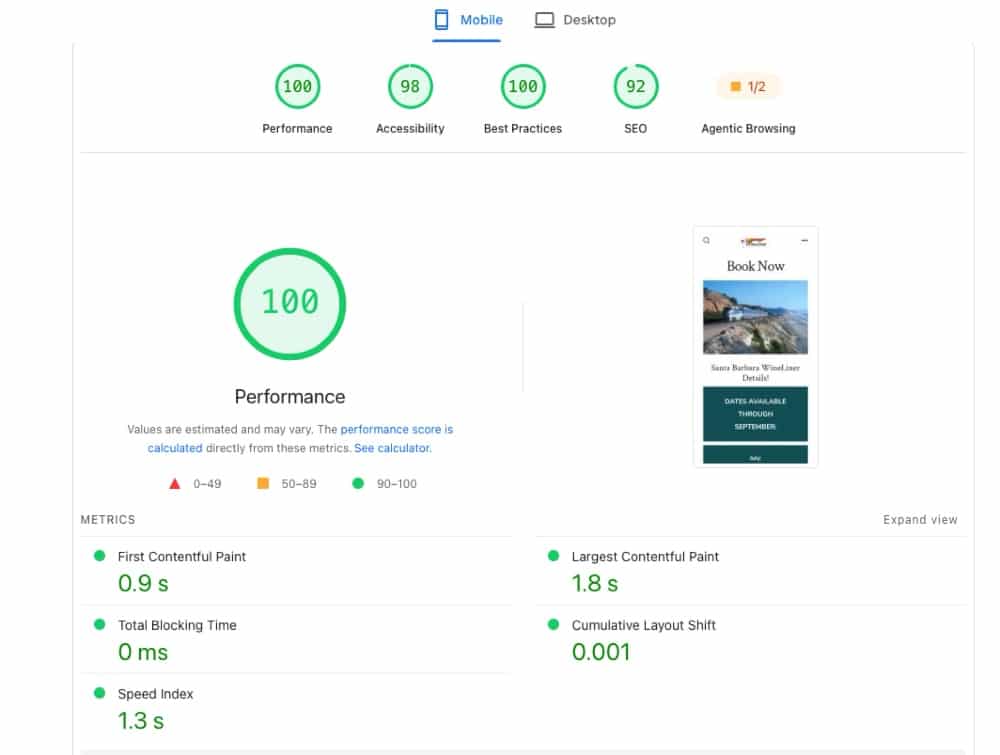
Page 3 Before and After:
Page 4 Before and After
Page 5 Before and After
Optimization Process
WP Rocket and Imagify were the primary tools I used for this site. Since there was page level caching from both Cloudflare and GoDaddy, I disabled the page caching from WP Rocket to avoid conflicts with cache purging (WP Rocket can’t yet sync purging of all the layers in these conditions because the Cloudflare layer was done through GoDaddy and not the site owner’s own account). But I wanted to take advantage of WP Rocket’s other optimization features.
Remove render blocking JavaScript
WP Rocket’s Delay JavaScript Execution feature took care of this cleanly. Fortunately the site only loads a few JS files and doesn’t have any critical JS-based elements above the fold, so no exclusions were needed.
Reduce Unused CSS
WP Rocket’s Remove Unused CSS feature handles both the reduction in unused CSS and removing render-blocking CSS. A couple of exclusions were needed to fix some interactive features.
Optimize Fonts
Using WP Rocket, fonts were self-hosted and the critical ones preloaded.
Improve LCP
Mobile LCP was the worst metric on almost all pages and it was primarily due to:
- Lack of preloading of the main above-the-fold images
- Huge, unoptimized images
So I used Imagify to optimize most of the existing images. Since we were using the free plan I needed to avoid blowing through the quota without touching the most important images. So I manually selected which ones to optimize at first, to make sure critical ones were included.
Since the visuals are an important part of selling the tour experience, I wanted to make sure the quality wasn’t degraded too much so I didn’t always use the most aggressive optimization.
Although Imagify did most of the heavy lifting when it came to image optimization I also did some manual optimizations on certain images and pages. In some cases I actually downloaded some images, manually resized them, converted them to JPG (from PNG) and re-uploaded them.
While a plugin like Imagify can help a lot, it’s always relative to the baseline of the original image. If you upload a 3MB image, there is only so much an image optimizer can do. It’s much better to start with a smaller image, so that’s what I did and it had a huge impact.
For example, the logo was originally uploaded at far too large of a size, around 3000 pixels wide whereas it only needed to be about 300px wide. I resized it and converted it to a JPG. It went from a 1.1MB file to a 36KB file. On some pages I was able to get some images down from around 500KB to 50KB without visibly degrading quality. This made a huge difference to the LCP.
Image optimization, in conjunction with WP Rocket’s Optimize Critical Image feature to preload the necessary images, resulted in huge LCP improvements.
Conclusion
This was not a complicated optimization but still very satisfying to see huge improvements in the LCP. And a great reminder that having good image optimization practices even before you upload them to your site will provide you with a great foundation!
If you are interested in optimizing your site, check out my available services and/or drop me a line!